Hello everyone,
HQPlayer was one of the most requested features, and with Serento 1.1.5 it is here. Not as one more renderer that receives a track at a time, but driven in HQPlayer's own language: the control protocol HQPlayer provides for control apps.
It works with HQPlayer 5 and 6, Desktop and Embedded.
Setting it up
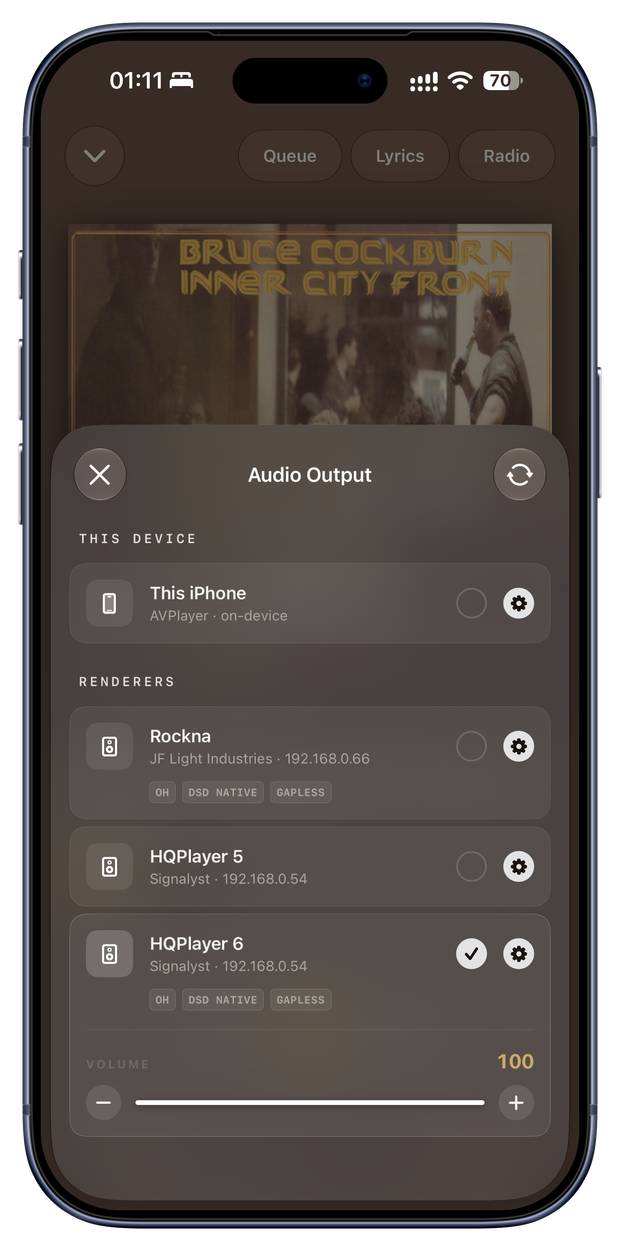
In HQPlayer, switch on "Allow control from network" (the network button in its toolbar). That is all. Serento finds HQPlayer on your network, remembers it, and from then on lists it in Audio Output like any other output.
If your HQPlayer does not appear by itself, for example because it runs on another part of your network, the + in Settings › Audio Output adds it by its IP address.
HQPlayer Desktop 5 has no UPnP renderer of its own. In Serento it is an output anyway, and it plays your queue the same way.
Your queue, in HQPlayer's playlist
When you press Play, Serento hands your queue to HQPlayer's own playlist, and HQPlayer plays through it by itself, track after track, gapless. Your phone is free to sleep: the music does not depend on it.
Changing the queue while the music plays works the way you expect. Play Next, Add to Queue, moving and removing tracks all reach HQPlayer's playlist, and the track you are listening to is never interrupted.
Serento's volume moves HQPlayer's own volume. And Serento follows HQPlayer: start or stop the music in HQPlayer itself, and Serento shows it within a couple of seconds.
HQPlayer's settings, in Serento
Open the gear next to HQPlayer in Audio Output, from Now Playing, from Settings, or from the output panel on iPad and Mac.
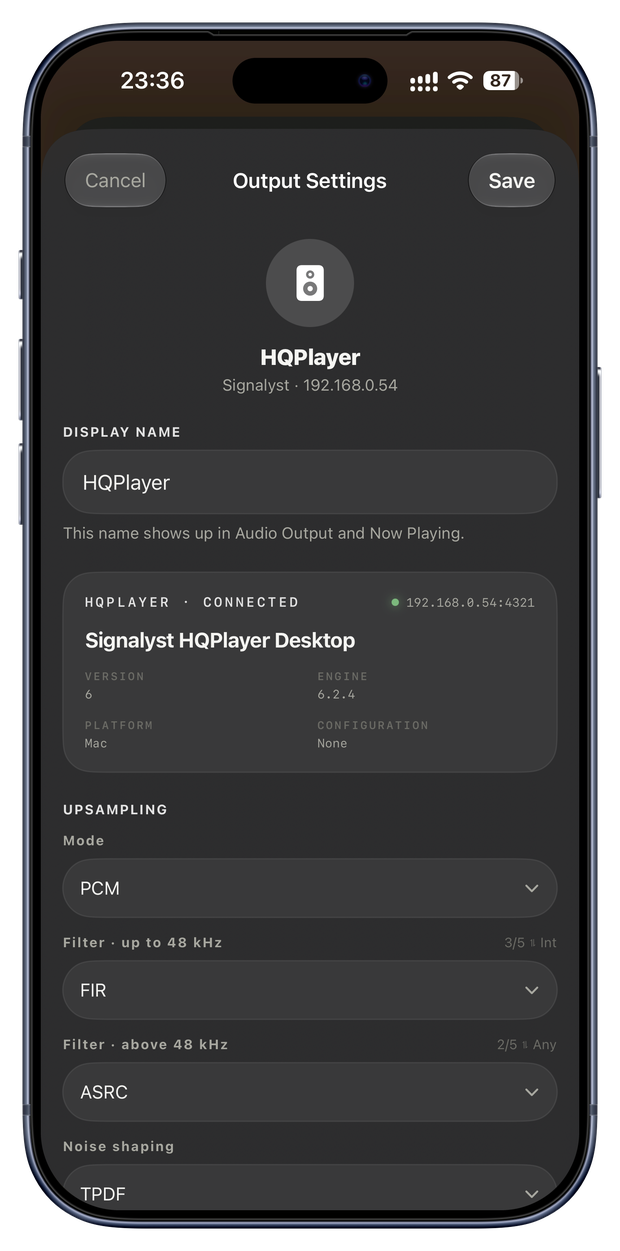
At the top, a status card tells you whether HQPlayer answers, its address, the product, its version, engine and platform, and the saved configuration it is running.
Upsampling
- Mode: source, PCM, or SDM (DSD) when your HQPlayer offers it for its output device.
- Filter up to 48 kHz, and filter above 48 kHz. HQPlayer 6 gives each filter a short description, shown on the row of its label.
- Noise shaping in PCM, or the modulator in SDM.
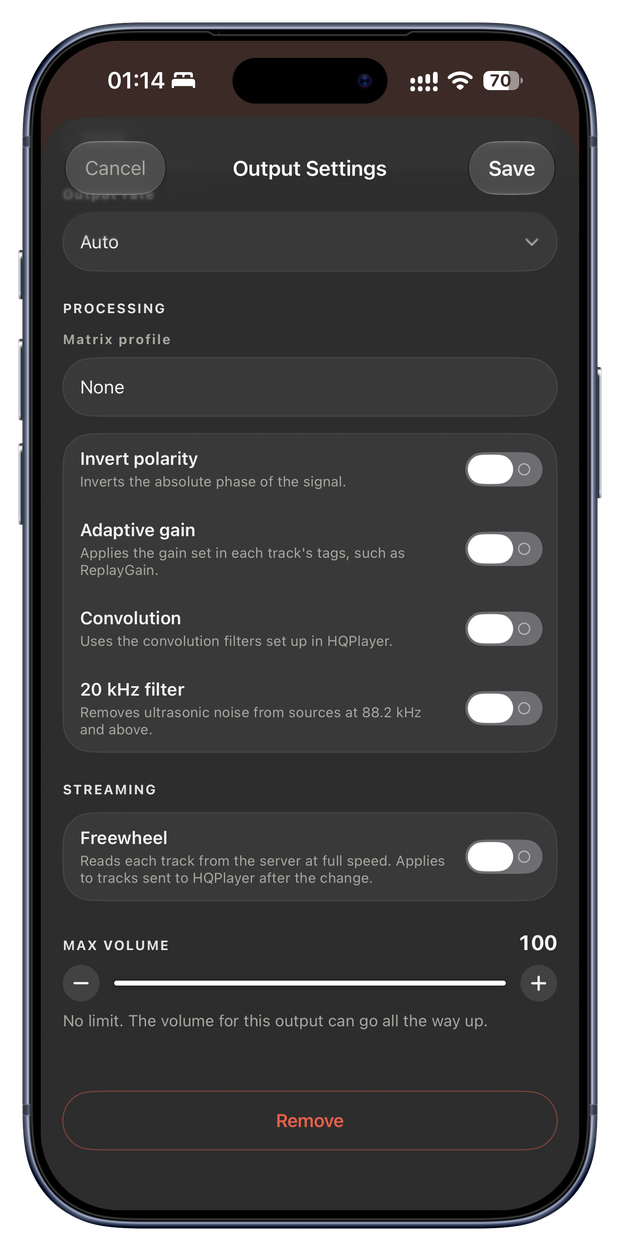
- Output rate, or Auto.
Every list comes from your HQPlayer, so you see exactly the filters, modulators and rates it offers on your system.
Processing
- Matrix profile, from the profiles saved in HQPlayer.
- Invert polarity, adaptive gain, convolution and the 20 kHz filter.
Streaming
- Freewheel asks HQPlayer to read each track from your server at full speed. It is Serento's option for that output, sent with every track, so it applies to the tracks Serento sends after you change it.
Applied on Save
HQPlayer needs to stop to change a filter or a modulator. So nothing you choose is sent the moment you choose it: Serento keeps your choices and applies them all together when you press Save, in the order HQPlayer needs them. Change five settings and the music is interrupted at most once, not five times. Cancel sends nothing.
A few details follow from that:
- When you pick a new mode, its noise shaping and output rates are HQPlayer's lists for that mode, so they are chosen after Save, the next time you open the settings.
- If HQPlayer stops playing after Save, Serento tells you, so you can try another combination. It does not start the music again on its own.
- If HQPlayer refuses a setting, Serento says so and applies the rest.
On all your devices
The name you give HQPlayer in Output Settings, and Freewheel, are the output's, not the device's: set them on your iPhone and they are there on your iPad and your Mac. The same goes for the name of any other output.
On Apple TV, HQPlayer is listed among your outputs like any other.
What the music goes through
Serento is a control point. The music goes from your server to HQPlayer, and from HQPlayer to your DAC. Serento never touches the audio: it tells HQPlayer what to play and how, and shows you what HQPlayer is doing.