Hello everyone,
When Apple showed iPhone Duo, my first thought was Now Playing. A phone that opens into a small tablet, stands on a table like a tiny laptop and folds like a book can be a wonderful way to control your music, but only if the app actually uses it. So for 1.1.2 I went through every screen in Serento and asked the same question for each position of the phone: what should this look like here?
The rule I followed is Apple's own: the layout follows the size of the screen, not the name of the device. Closed, the Duo is a phone. Open, it is a small tablet. Half folded, the fold itself becomes part of the design.
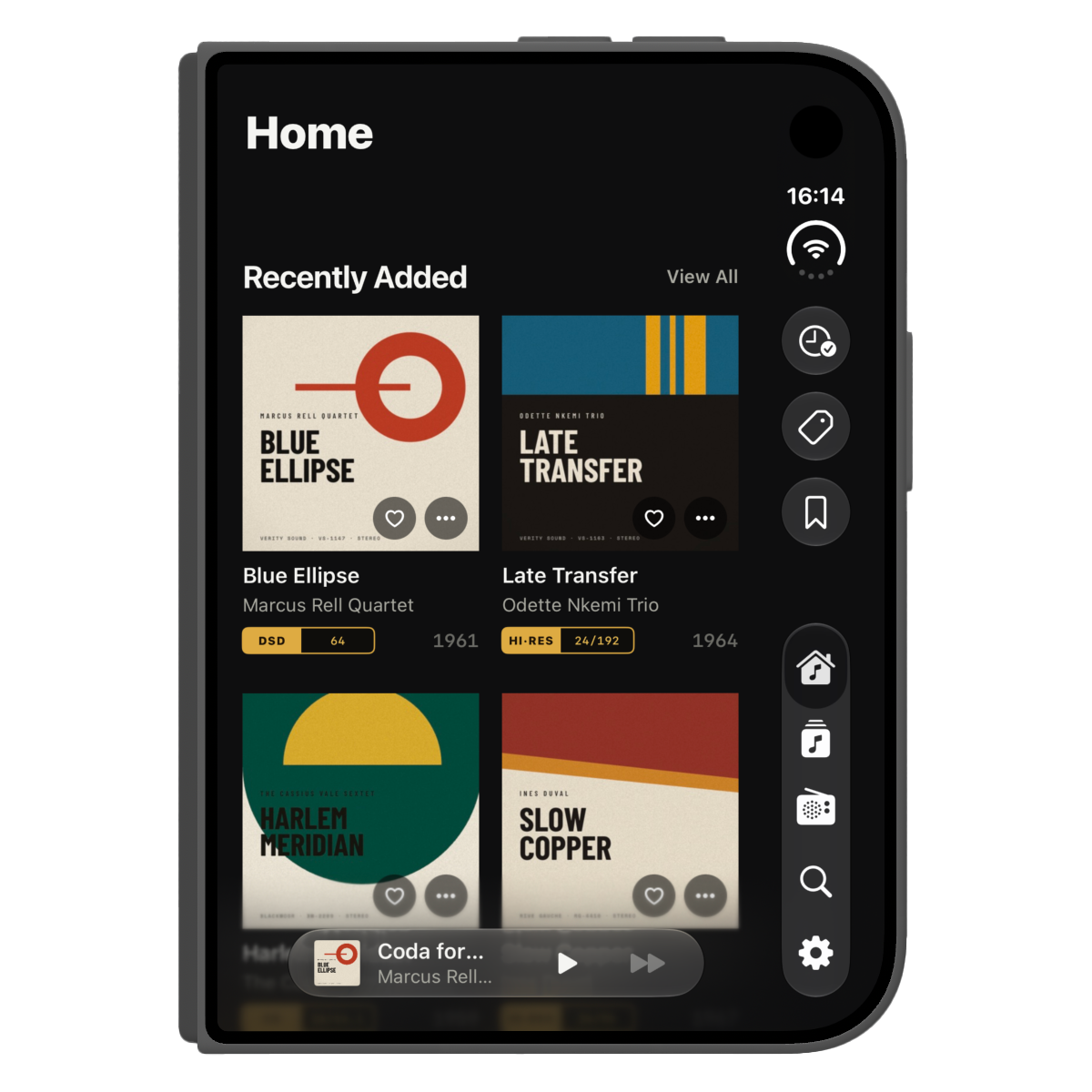
Closed
On the outer screen, Serento is the iPhone app you already know. The system moves the tabs and the status bar to the side of the screen, and every screen fits the wider, shorter display, Now Playing included.
Open
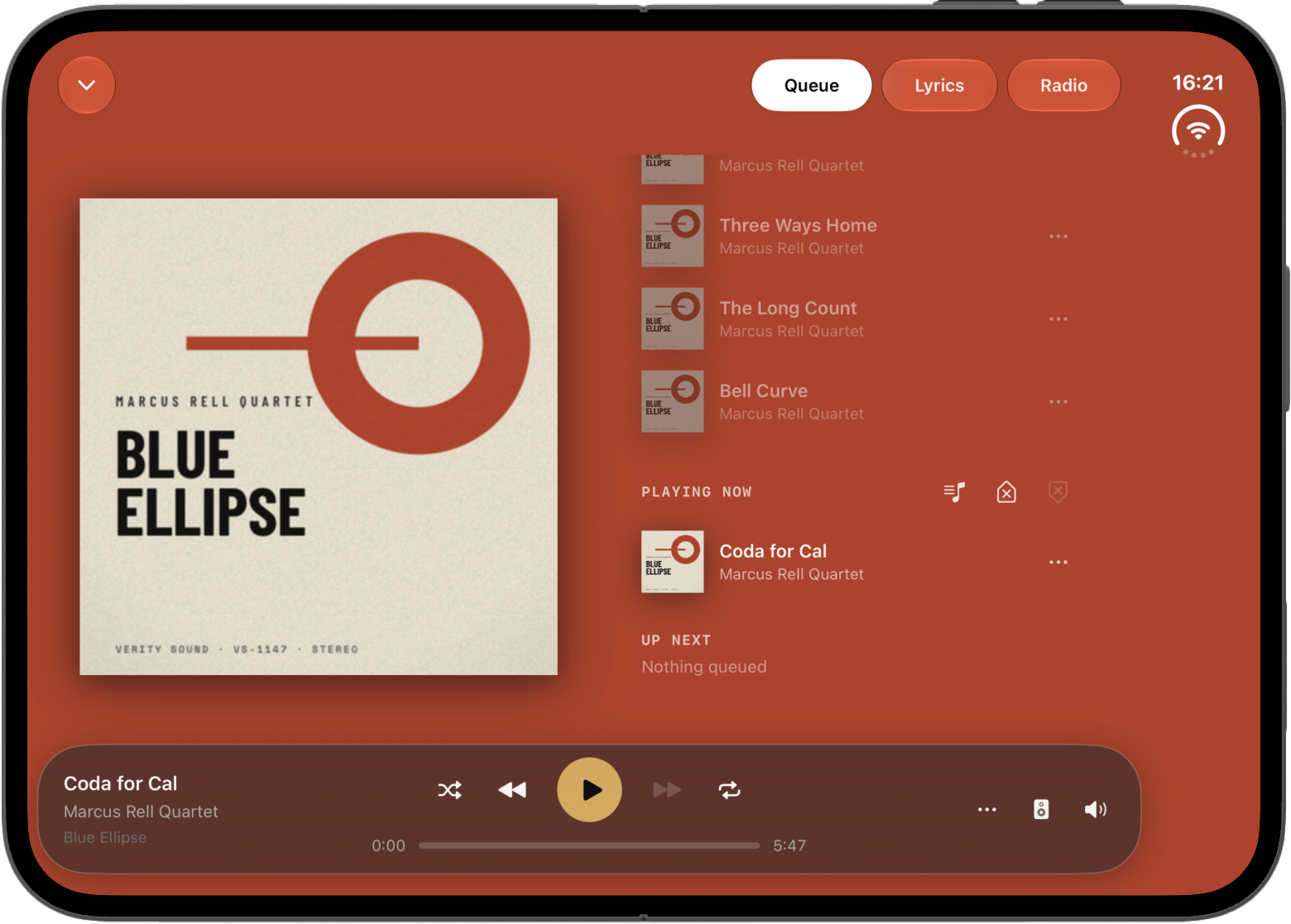
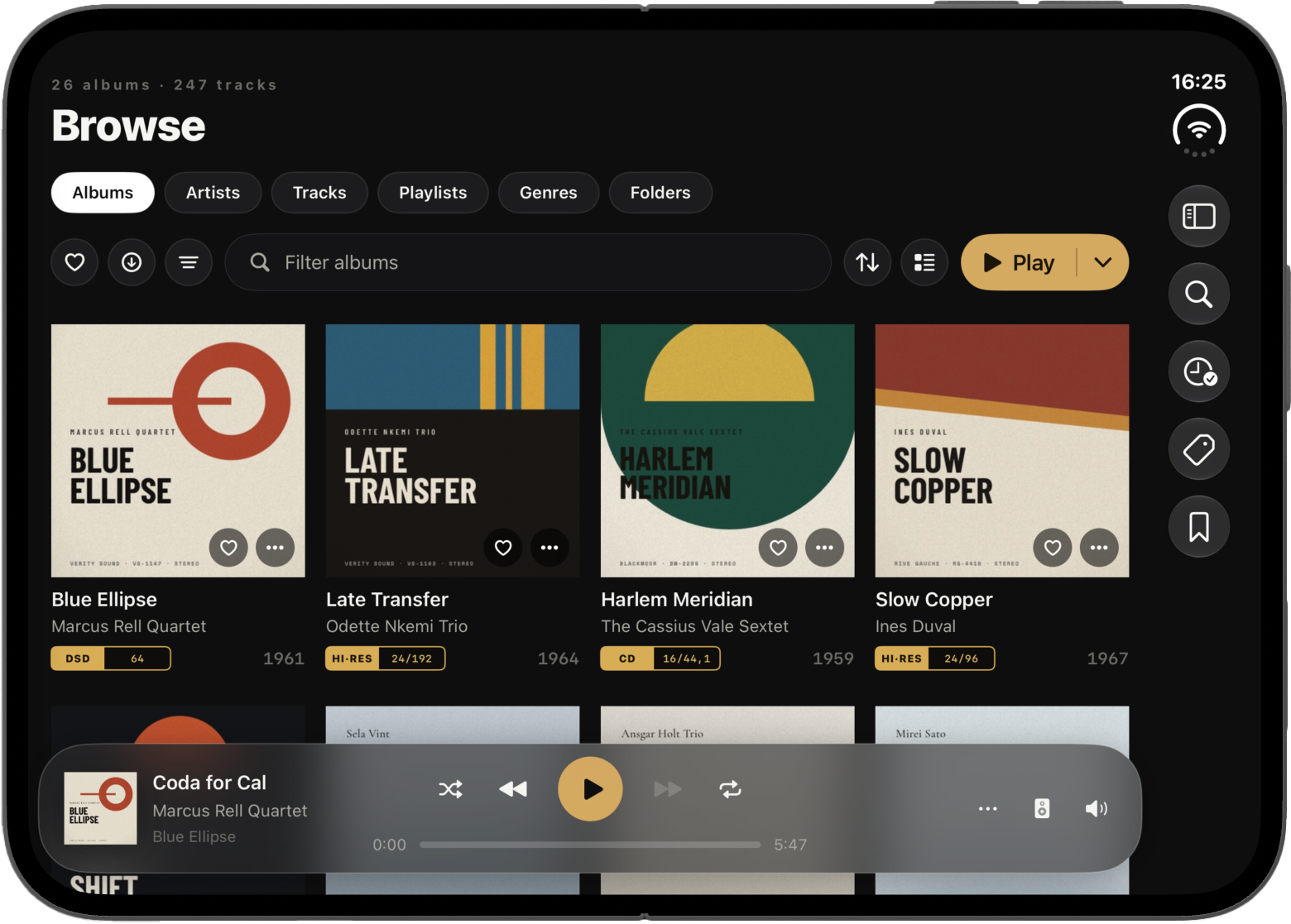
Unfold it and Serento uses the whole inner screen. The sidebar opens from the menu button, the grids show more of your covers, album and playlist pages put the cover beside the title and the buttons, and the track list becomes a proper table.
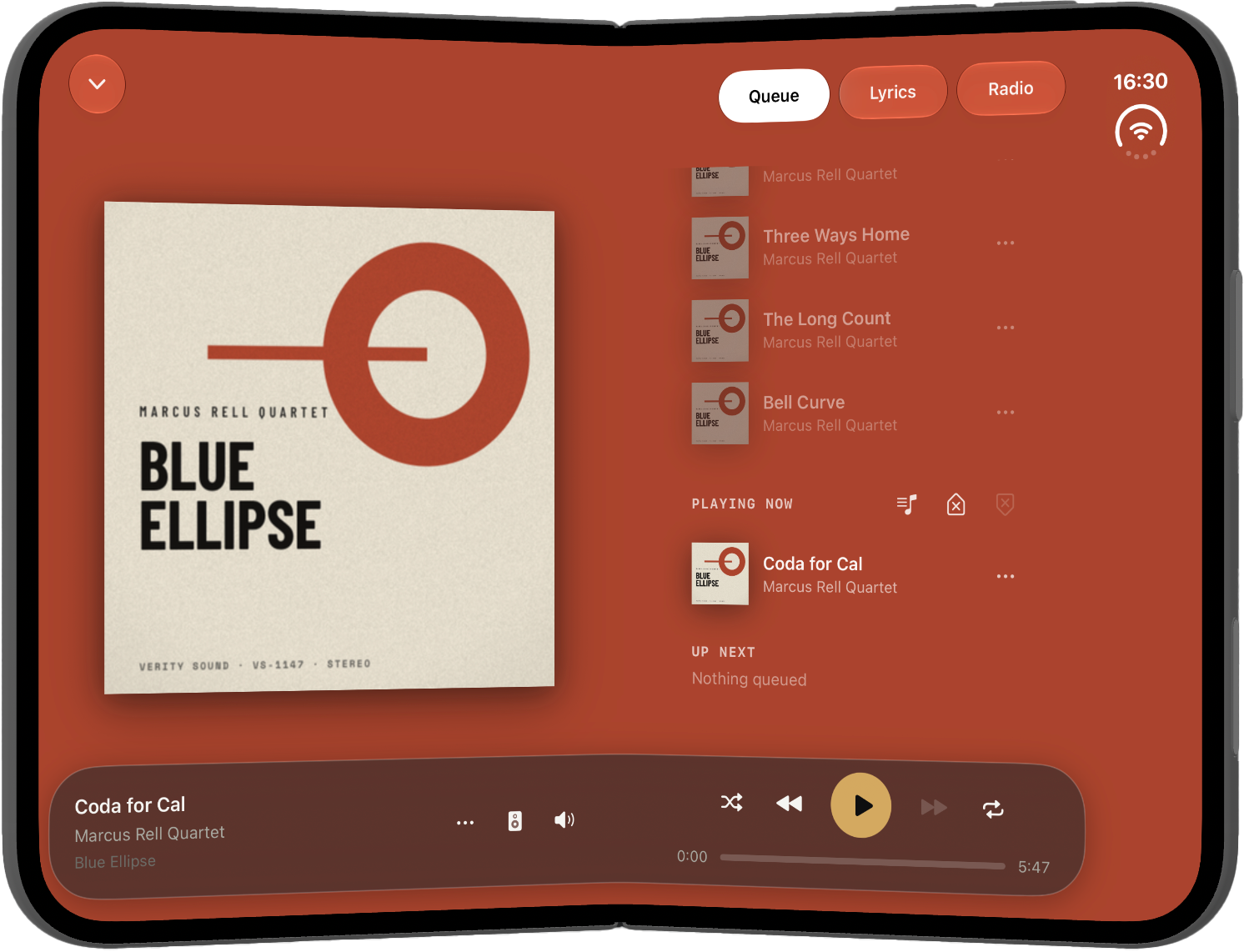
Now Playing gets room to breathe. Held upright, the cover takes the centre and Queue, Lyrics and Radio are one tap away. Turned sideways, the cover stays on the left and the queue, the lyrics or the radio sit on the right, so you can read along without losing the artwork.
Like a book
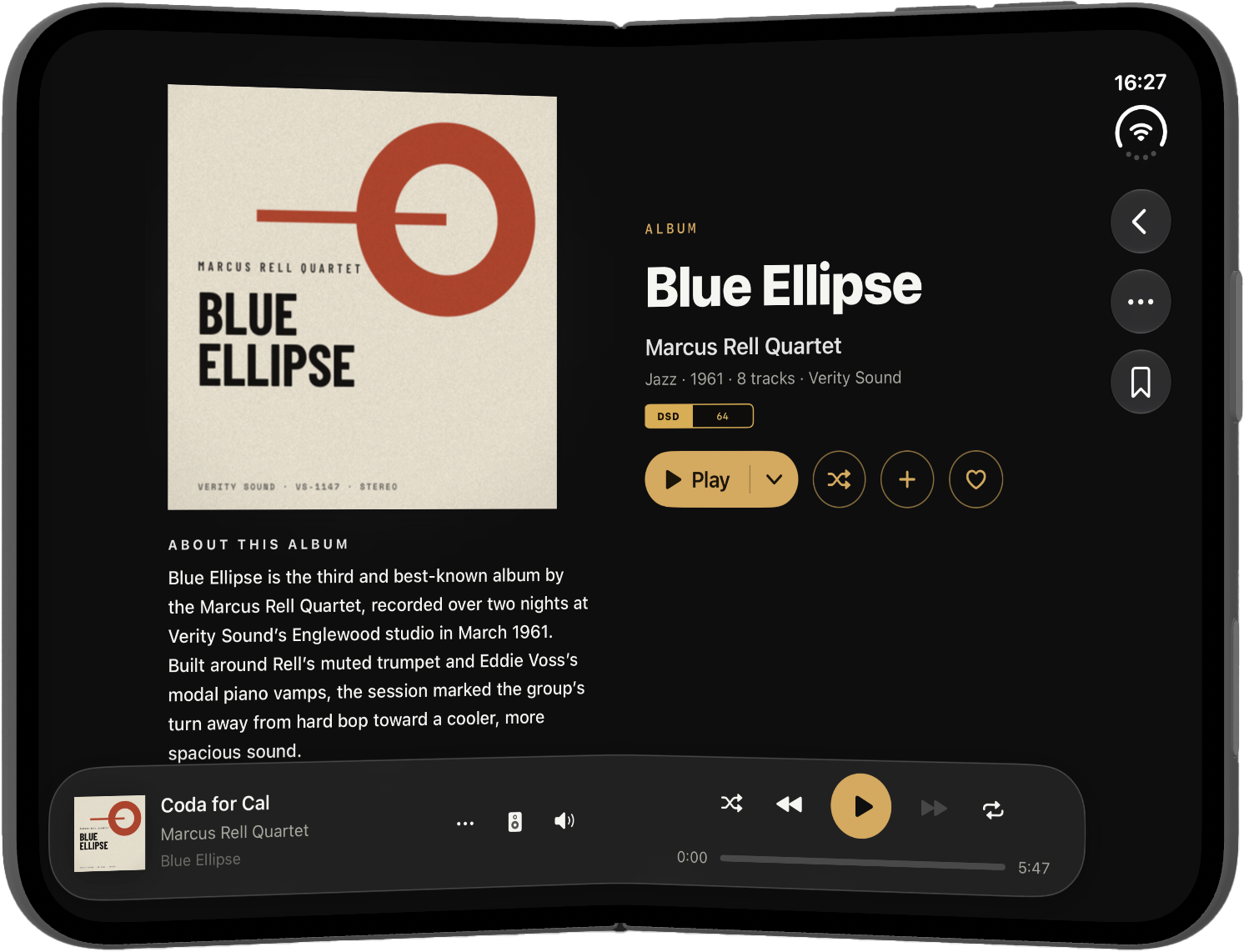
Fold it halfway with the crease running down the middle and hold it like a book. This is the position I spent the most time on, because a fold through the middle of a button is no fun to tap.
Every screen is laid out around the fold. Grids split into two equal pages, with the fold as the gap between them. Album and playlist pages put the cover on the first page and the title and buttons on the second. The track table breaks its columns exactly at the fold. Settings keeps the list on one page and the details on the other. Text, like an artist's biography, stays on one page instead of running across the spine.
And nothing you can tap sits in the fold.
Now Playing splits right at the fold too: the cover on one page, the queue, the lyrics or the radio on the other.
On the table
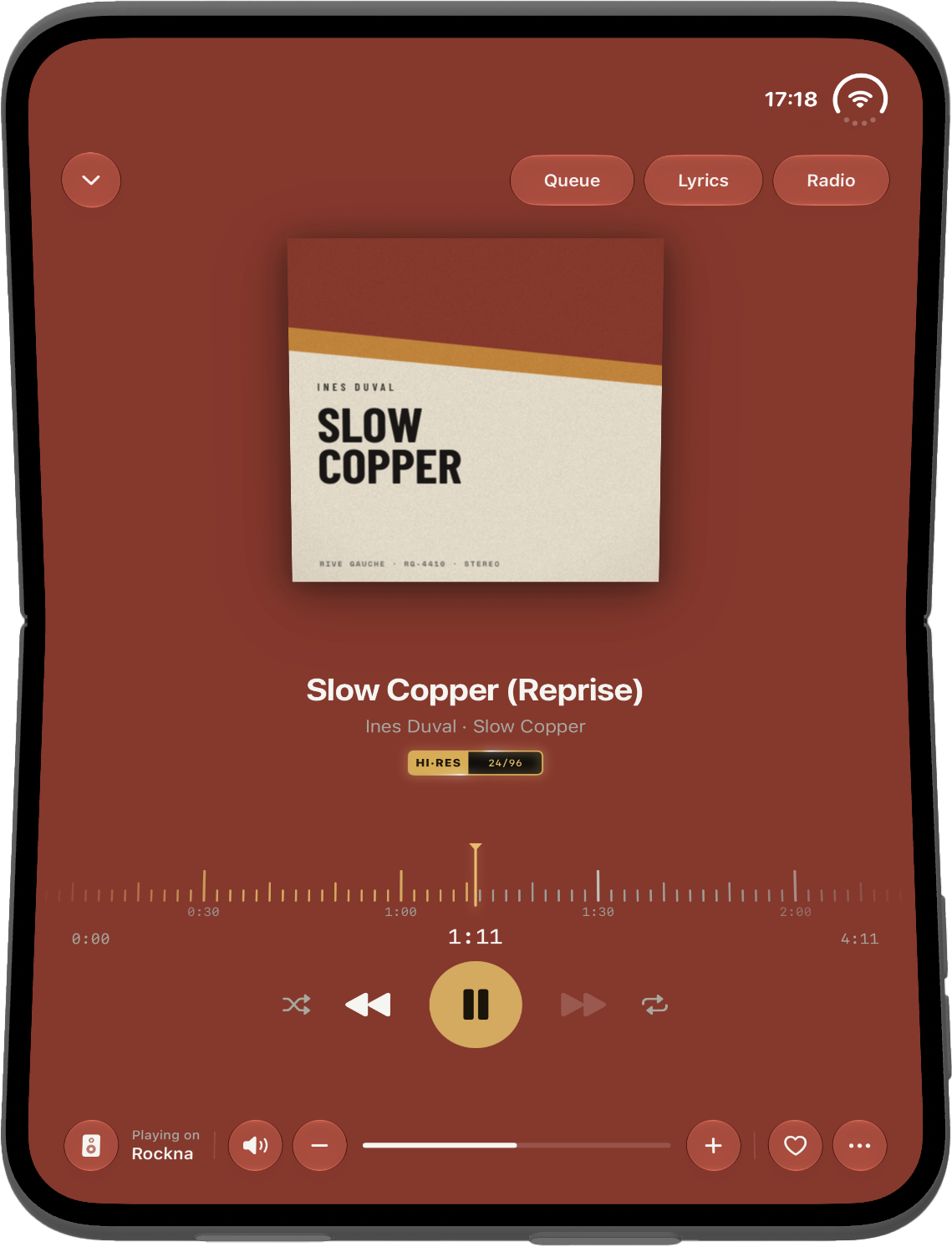
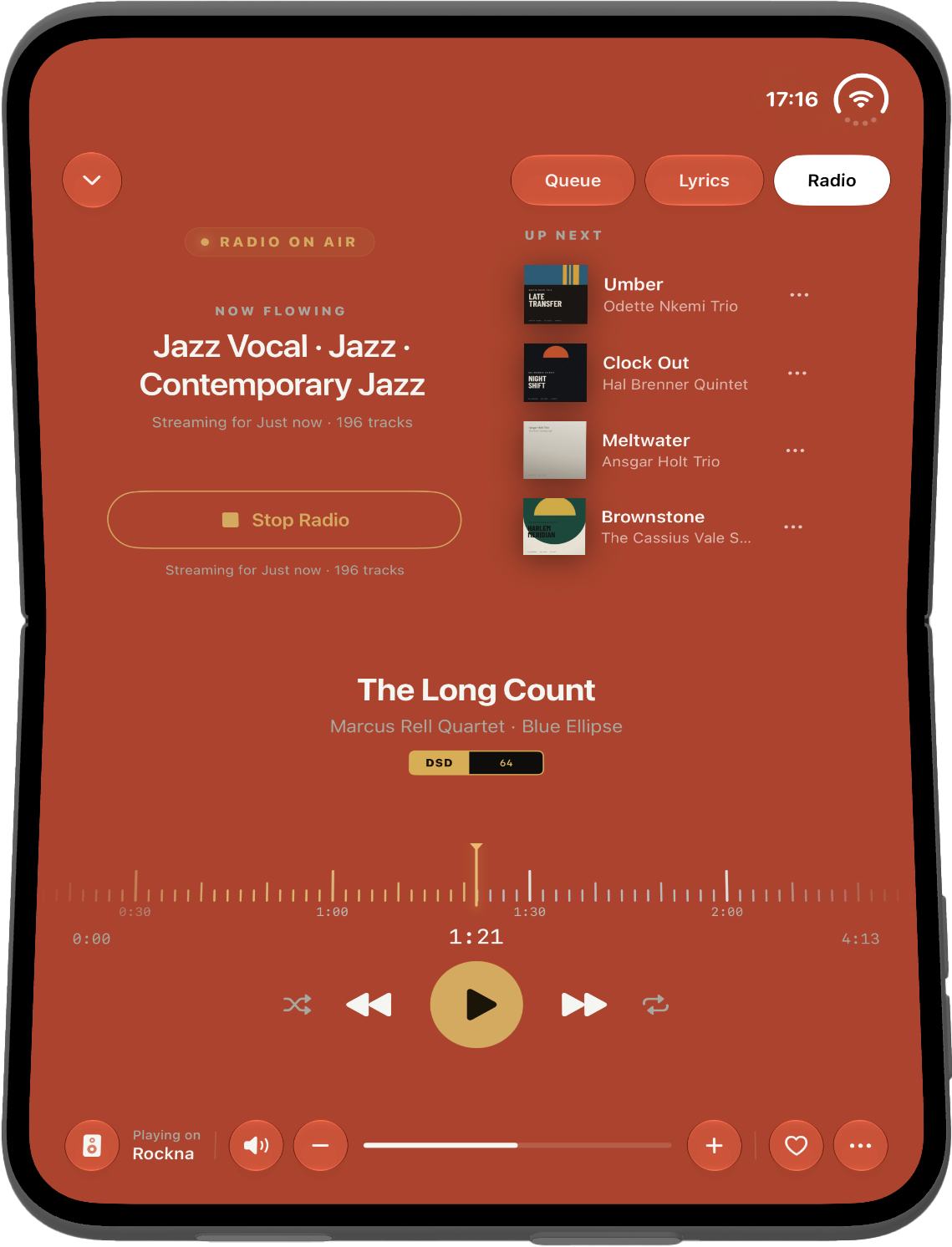
Stand the phone on a table with the fold across the screen, like a small laptop. Apple's advice for media in this position is simple: what you look at goes on top, facing the room, and the controls go on the bottom, the flat half under your hand. That is exactly what Serento does.
The top half shows the cover, with Queue, Lyrics and Radio above it. Tap one and it takes the cover's place across the whole half; tap it again and the cover is back. Radio uses that width for two columns: the station and its button on one side, and on the other the genres it found in your queue, or, once it plays, the tracks coming up next.
The bottom half is where your hand is. The title, the artist, the album and the format sit in the middle. Under them a time strip runs beneath a fixed playhead, like tape passing a head, and you drag it to move through the track. Then the times and the play controls, and along the bottom edge the output, the volume, the heart and the ⋯ menu.
Folding and unfolding
Closing or opening the phone never interrupts the music. The track keeps playing, the queue stays as it was, and Serento keeps your place: the same tab, the album you had open, the same Browse section, the same Settings screen, even what you typed in Search. If Now Playing was open, it stays open and simply changes shape.
Get it
Serento 1.1.2 is on the App Store now. iPhone Duo support is part of the same app, so there is nothing to switch on.
If you have a Duo, I would love to hear how it feels in your hands. Come and tell me at community.serento.app, or write to contact@serento.app.